Simple Tips for Creating a Relaxing Home Workspace
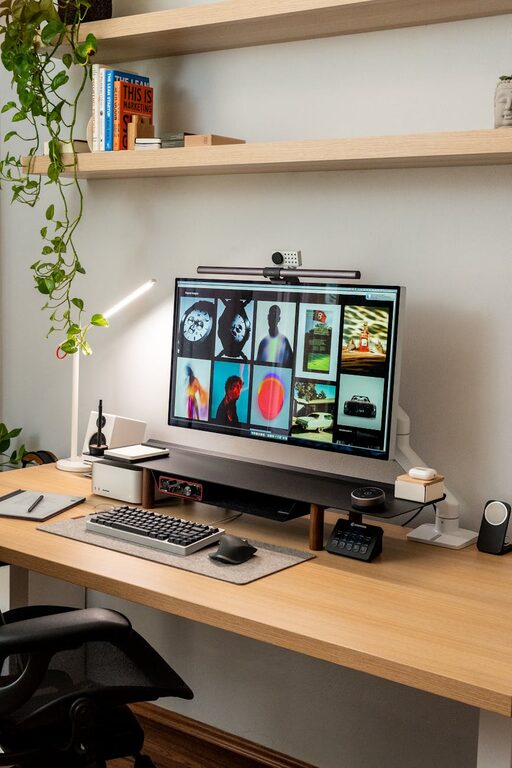
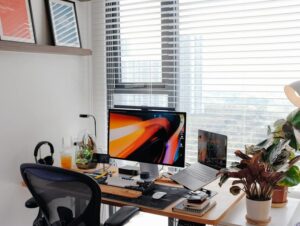
Creating a home workspace that feels relaxing and inviting can greatly improve your focus and overall wellbeing. Whether you work remotely, study, or simply need a dedicated area to manage daily tasks, a calming workspace helps reduce stress and increase productivity. This guide offers simple tips to transform any corner of your home into a peaceful and practical working environment.
Choose the Right Location
Begin by selecting a spot in your home that suits your needs and lifestyle. Ideally, this space should:
– Have good natural light, which helps improve mood and reduces eye strain.
– Be quiet and away from high-traffic areas to minimise distractions.
– Offer enough room for your desk, chair, and any equipment you need.
If space is limited, consider using a small desk in a bedroom corner or a section of the living room. Even a window sill or a fold-down wall desk can work well with the right setup.
Invest in Comfortable Furniture
Comfort is key when setting up a workspace. Aim to:
– Use an ergonomic chair that supports your back and encourages good posture.
– Choose a desk height that allows your arms to rest comfortably while typing.
– Consider a sit-stand desk or an adjustable chair if you prefer changing positions throughout the day.
Comfortable furniture prevents fatigue and helps you stay focused for longer periods.
Keep It Organised and Clutter-Free
A cluttered desk can lead to a cluttered mind. Here are some organisation ideas:
– Use trays, organisers, or filing systems to keep documents neat.
– Limit the number of items on your desk to essentials only.
– Regularly tidy your workspace at the end of each day.
– Label storage containers for easy access.
A tidy workspace makes it easier to concentrate and find what you need quickly.
Add Personal Touches Thoughtfully
Personalising your workspace can make it more enjoyable, but avoid overcrowding. Consider:
– Adding one or two photos or artworks that inspire you.
– Including a small plant to bring in natural elements and improve air quality.
– Using calming colours such as soft blues, greens, or neutrals for accessories and decor.
These touches create a welcoming atmosphere without causing distraction.
Control Lighting for Comfort and Focus
Lighting plays a crucial role in your workspace comfort:
– Position your desk near a window whenever possible to benefit from daylight.
– Use task lighting, such as a desk lamp, for focused work in the evenings.
– Avoid harsh overhead lights or glare on your screen.
Adjusting your lighting helps reduce eye strain and keeps you alert throughout your tasks.
Minimise Noise and Distractions
Maintaining a peaceful environment supports concentration:
– Use noise-cancelling headphones or play soft instrumental music if background noise is unavoidable.
– Communicate your work hours to family or housemates to minimise interruptions.
– Use door signs or room dividers to visualise your workspace boundary.
Reducing noise helps keep your mind centred on your work.
Incorporate Elements for Relaxation
To promote wellbeing during breaks:
– Include a comfortable chair or cushion where you can relax or stretch.
– Use calming scents like lavender or eucalyptus with essential oil diffusers or candles.
– Keep a water bottle nearby to stay hydrated.
These elements encourage healthy habits that refresh your mind and body.
Maintain Good Air Quality
Fresh air contributes to comfort and alertness:
– Open windows regularly when weather permits.
– Add indoor plants known for air purification, such as spider plants or peace lilies.
– Avoid overly dusty or cluttered spaces.
Good air quality supports long-term health and productivity.
Technology Setup
Ensure your technological tools support a smooth workflow:
– Position your computer screen at eye level to reduce neck strain.
– Use wireless accessories to decrease cable clutter.
– Keep chargers, cables, and tech organised with clips or boxes.
A neat tech setup minimises distractions and improves efficiency.
Establish a Routine
Finally, create a consistent work routine to separate work and leisure:
– Set specific working hours and break times.
– Use a calendar or planner to organise tasks.
– End your workday by tidying your workspace for a fresh start tomorrow.
A routine helps you stay organised and maintain work-life balance, even at home.
—
By following these simple tips, you can design a home workspace that not only looks good but feels calming and encourages productivity. Remember, the goal is to create an environment that supports your work style while promoting relaxation and wellbeing. Start small, experiment with what works best for you, and watch your productivity and comfort improve!