How to Create a Productive Home Office Space: Top Tips
Creating a productive home office space is essential for anyone working remotely or managing tasks at home. A well-organised, comfortable workspace can help you stay focused, reduce distractions, and improve your overall work performance. Whether you’re setting up a new area or revamping an existing one, these tips will guide you through the process of creating an effective home office.
Understanding the Importance of a Dedicated Workspace
Working from a designated space within your home helps your mind associate that area with work rather than leisure. This separation can improve concentration and establish boundaries between your professional and personal life.
Choosing the Right Location
Consider Natural Light
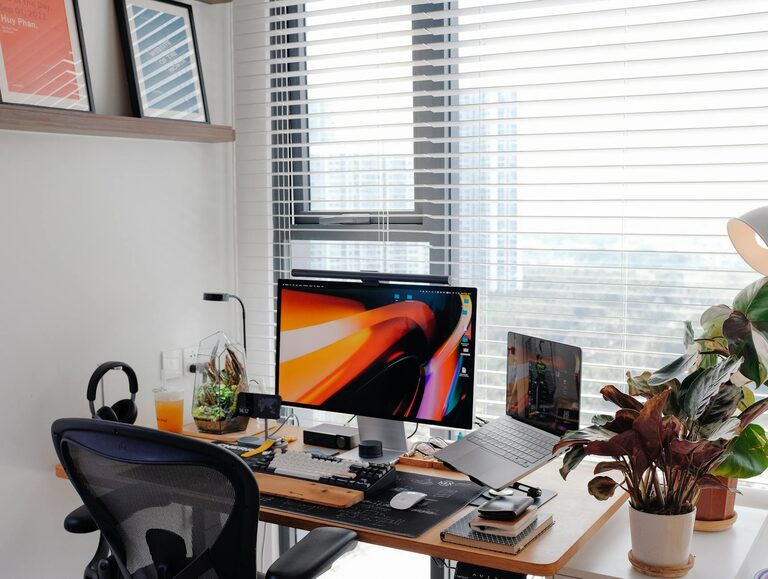
Select a spot that receives plenty of natural daylight. Natural light has been shown to improve mood, reduce eye strain, and boost energy levels, making it easier to stay alert and focused throughout the day.
Minimise Noise and Distractions
If possible, pick a quiet area away from busy parts of your home or noisy streets. Using rugs, curtains, or noise-cancelling headphones can also help reduce background noise.
Ergonomic Furniture for Comfort and Health
Invest in a Good Chair
A comfortable, ergonomic chair supports your posture and helps prevent back pain or discomfort during long working hours. Look for adjustable features such as seat height, backrest tilt, and lumbar support.
Choose an Appropriate Desk
Your desk should offer enough surface space for your computer, paperwork, and other essentials without feeling cluttered. Consider the height as well—your elbows should rest at a 90-degree angle when you’re typing.
Organise Your Workspace Efficiently
Declutter Regularly
Keep only the items you use frequently on your desk to maintain a clean and organised workspace. Store other supplies in drawers or shelves to avoid distractions.
Use Storage Solutions
Incorporate filing cabinets, shelving units, or desk organisers to keep documents and office supplies tidy and easy to find.
Personalise Your Space for Motivation
Adding personal touches such as photos, plants, or artwork can make your office feel inviting and inspiring. Plants also improve air quality and add a splash of natural colour.
Optimising Technology and Equipment
Reliable Internet Connection
A fast and stable internet connection is essential for smooth communication and efficient work, especially if your job involves video calls or large data transfers.
Set Up Proper Lighting
In addition to natural light, use adjustable desk lamps to illuminate your workspace evenly and reduce eye strain when working in the evenings or darker conditions.
Use the Right Tools
Ensure your computer, keyboard, mouse, and other devices are comfortable and suited to your work requirements.
Establish a Routine
Creating a daily schedule with clear working hours helps maintain a work-life balance and keeps you motivated. Take regular breaks, stretch, and step away from your desk to recharge.
Keep Healthy Habits in Mind
Stay hydrated, maintain good posture, and incorporate movement into your day to enhance both productivity and wellbeing.
Final Thoughts
Designing a productive home office space doesn’t have to be complicated. By focusing on comfort, organisation, and personalisation, you can create a work-friendly environment that helps you stay motivated and efficient. Start with small changes and adapt your space as your needs evolve to make the most out of your work-from-home experience.